
Drag and Drop Dispatch Board for Busy Crews
A drag and drop dispatch board helps home service contractors assign work faster, keep crews moving, and have invoices ready before dinner every workday.
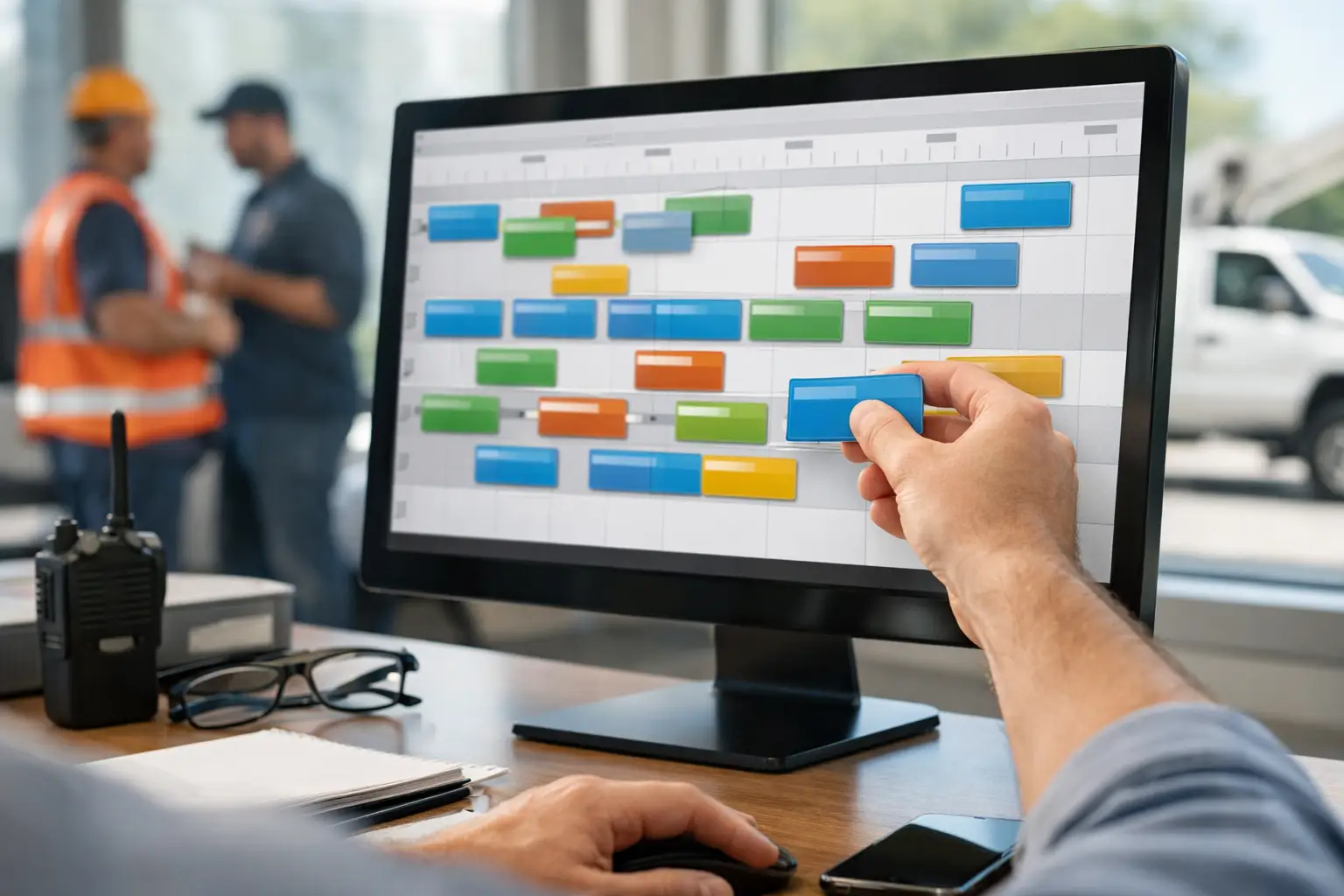
A customer calls with no AC on a 95-degree afternoon. Your best HVAC tech is wrapping up nearby, another crew is across town, and someone just called out sick. A drag and drop dispatch board lets you see the day, move the right job to the right person, and tell the customer when help is coming without digging through texts, paper calendars, and three different apps.
For a home service business, dispatch is not just scheduling. It is the point where customer expectations, crew time, travel, job profitability, and cash flow meet. Get it right and the day stays under control. Get it wrong and you spend the evening fixing missed appointments, chasing job details, and trying to remember what was actually completed.
What a Drag and Drop Dispatch Board Should Do
At its most useful, a dispatch board shows your jobs in a calendar-style view by day, technician, or crew. You can move a job from one time slot to another with a few clicks, assign it to a different employee, and see open time before you promise a customer a window you cannot keep.
The drag-and-drop part matters because field work changes constantly. A plumbing repair takes longer than expected. A cleaner finishes early. A customer needs to reschedule. A new emergency call comes in. You should be able to adjust the schedule as those changes happen, not rebuild the whole day or send a string of confusing texts to the team.
But an easy calendar alone is not enough. A useful board needs job context. When you open a scheduled visit, you should be able to see the customer, service address, contact details, work requested, notes, and job status. Your crew should not arrive at a property wondering what was discussed on the phone.
Why a Schedule on Paper Stops Working
A paper schedule can work when you are a one-person operation with a handful of appointments. So can a basic shared calendar. The trouble starts when more than one person needs the same information and the schedule changes after the day has begun.
With a paper board, the office may know a job was moved while the technician does not. With text messages, job details get buried under replies and photos. With a scheduling app disconnected from your invoicing and accounting, someone still has to re-enter completed work later. That is how a full day in the field turns into another two hours at a desk.
The real cost is not only a missed appointment. It is the back-and-forth: calling customers to explain a late arrival, asking a technician whether a job is done, searching for the right rate, and creating invoices after everyone has gone home. Small gaps between tools create a lot of unpaid admin work.
Build the Board Around How Your Crews Work
Every trade dispatches a little differently. An electrical contractor may schedule service calls around larger installation work. A landscaping business may organize recurring routes by neighborhood. A cleaning company may need to match crews to properties and access instructions. The board should fit the work, not force your business into a generic workflow.
Start by setting clear job statuses. For most service businesses, scheduled, dispatched, in progress, completed, and invoiced are enough to give the office a reliable view of work moving through the day. The names can vary, but each status should mean one thing to everyone.
Then make assignment visible. A dispatcher or owner should be able to answer a few questions in seconds: Who is available? Who is already overloaded? Which jobs are waiting? Which completed jobs still need to be billed? A board that only shows appointments but hides the financial follow-through leaves half the job undone.
It also helps to keep service areas in mind. Sending the closest available technician is not always the best choice. Consider skill level, required parts, promised arrival windows, and the next job on that employee's route. For emergency work, speed may come first. For planned maintenance, reducing drive time may matter more. Good dispatching is judgment supported by clear information, not just filling every open slot.
Use Dispatch Changes to Protect the Customer Experience
Customers do not expect a perfect day. They do expect an honest one. If a job runs long, a dispatch board gives you a fast way to find an opening, update the schedule, and contact the next customer before they are left wondering where your crew is.
That simple habit protects your reputation. A customer is more likely to accept a revised window when you communicate early and offer a real alternative. They are far less forgiving when no one calls because the schedule changed in one place and the customer record sits somewhere else.
For owner-operators, this is especially valuable. You may be the person doing the repair, answering calls, and making schedule changes between jobs. The less time it takes to see the day and make a decision, the less likely you are to lose a new lead while standing in a crawlspace or driving to the next appointment.
Connect the Board to the Money Side of the Job
A dispatch board becomes much more valuable when it is connected to the rest of the business. Once a technician completes a job, that work should move naturally toward an invoice, payment, bookkeeping record, and payroll calculation. Otherwise, dispatch may be organized while the office work remains a nightly scramble.
This is the advantage of an all-in-one operating system over a stack of disconnected tools. Separate scheduling, accounting, payroll, payment, and phone-answering subscriptions can appear inexpensive one by one. Yet they create duplicate entry, handoffs, and extra places for information to get lost. The monthly software cost is only part of the equation. Your time has a cost too.
Trade Books brings field service management, accounting, invoicing, payroll, payments, appointment booking, and an AI receptionist into one workflow, starting at $49 per month. That means a booked job can start on the dispatch board and continue through completed work and payment without making you rebuild the same information in another system at night.
There is a trade-off worth recognizing. A business with highly specialized enterprise routing needs may require advanced route optimization or complex multi-branch controls. But most small and growing contractors do not need a complicated command center. They need a clear schedule, accurate job information, quick changes when the day shifts, and a dependable path from work performed to money collected.
A Simple Way to Run Tomorrow's Board Better
Before the next workday starts, review the board with your team for five minutes. Confirm the first appointments, flag jobs that need special equipment or parts, and identify any tight arrival windows. Make sure each job has enough information for the assigned technician to walk in prepared.
During the day, update the board when the facts change, not hours later. If a customer reschedules, move the job. If a crew finishes, mark it complete. If an emergency call takes priority, assign it and notify the jobs affected by the change. A board only earns its keep when it reflects the real day.
At day’s end, look for completed jobs that have not moved into billing. That one check can prevent revenue from sitting in a technician's notes for days. It also gives you a cleaner picture of tomorrow before you head home.
The goal is not to pack every minute of every crew member’s day. The goal is to run a day you can actually manage, serve customers without confusion, and finish the work that turns jobs into cash. When your schedule, invoices, and records stay connected, you have a better chance of leaving the office work at the office.